The CS2 Console Commands Worth Setting Up Once and Forgetting About
By LOLValue Team · November 3, 2026
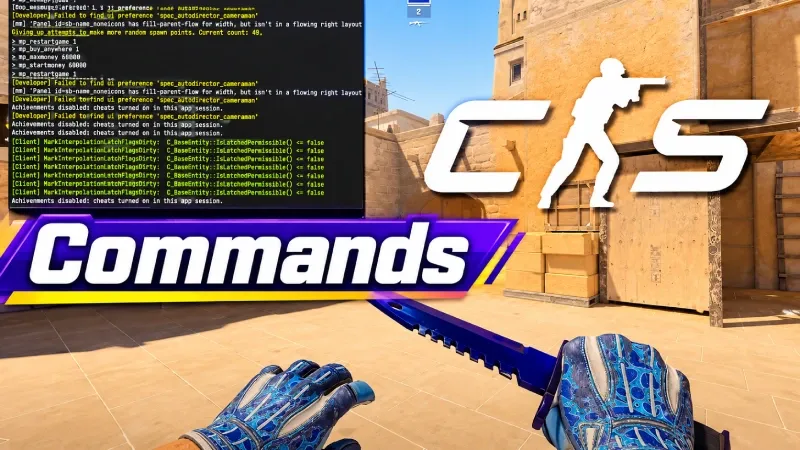
That is a shame, because the useful ones are not the exotic ones. They are the handful that fix a specific annoyance you have quietly tolerated for years.
Here is what is actually in there, and which parts repay ten minutes of setup.
The Full List Is Bigger Than You Think
There are 251 documented CS2 console commands grouped into sixteen categories, which is enough that browsing is a better approach than searching for whatever a streamer mentioned. The categories map onto the things you would actually want to change, with 18 commands for crosshairs, 26 for viewmodel and HUD, 16 for movement, 18 for audio and 31 for practice setups.
Each entry lists its default value, which is the detail that makes the list usable. Knowing that a setting is already at its default saves you from cargo culting a config that changes nothing.
There is a search filter, one click copying for each command, and prebuilt templates covering practice, frame rate, network tuning, HUD cleanup, radar and audio. The templates matter because they solve the ordering problem, where individual commands work but the combination does not.
It is an independent reference site rather than anything run by Valve, and it is the sort of page worth bookmarking rather than reading once.
Worth saying up front, none of this is about advantage. The console in Counter-Strike 2 is a preferences panel with a text interface, and the commands that would do anything unfair are simply not exposed.
What it does affect is comfort, and comfort compounds. A crosshair you can see against every wall on every map is worth more over a season than any single clever setting.
The Ones That Change What You See
Crosshair commands are the obvious starting point, and they are the ones most worth setting personally rather than copying. Eighteen separate values control thickness, gap, outline, dot and colour, and small changes there matter more than most people expect.
Viewmodel and HUD sit close behind with 26 commands between them. Moving the gun model further right, shrinking the radar or removing clutter from the bottom of the screen all live here.
The simplest useful one is cl_showfps 1, which puts a frame counter on screen. If your game feels inconsistent, that number will usually tell you why before any settings menu does.
Sound and Sensitivity
Audio is worth more attention than it gets, since Counter-Strike is a game where footsteps carry real information. Eighteen commands cover the mix, and voice_scale 0.7 alone stops teammates drowning out the thing you were listening for.
Mouse behaviour has seven commands, which is fewer than the discourse around sensitivity would suggest. Most of what people argue about is settled by raw input and a number, and the rest is habit.
Networking gets eleven. Those are worth leaving alone unless you know what problem you are solving, because a bad value there is worse than the default.
Movement has sixteen, most of which exist for testing rather than play. Radar and minimap have six, and those six are the ones players change most often, usually to make the radar larger and centred.
Server and match commands cover another twenty, which are only relevant if you host your own games. Communication adds eleven, and the mute and volume controls in that group solve more problems than they get credit for.
Practice Commands Are the Underrated Set
Thirty-one practice commands and fourteen bot commands turn an empty server into a workshop. Infinite ammunition, instant respawns, no round timer and the ability to spawn or freeze bots make grenade lineups a ten minute job rather than an evening.
Valve maintains a broader console command list across its engine titles, and a fair amount of Counter-Strike behaviour is inherited from there. The practice set is the part most worth learning properly.
Demo and recording commands sit alongside them, fifteen in total. Watching your own rounds back is unglamorous and remains the fastest way to notice a habit.
Write It Down Once
The point of all this is that you should only do it once. An autoexec file runs your chosen values every time the game launches, so an update or a new machine does not send you hunting through videos again.
Keep it short and comment it. A config with forty lines you copied and cannot explain is a liability the first time something behaves oddly.
Set against how long people spend in these games, ten minutes is nothing. If you want that comparison made uncomfortably concrete, the hours already spent in League are sitting there waiting to be counted.
Key Takeaways
Crosshair, viewmodel, audio and practice are the four categories that repay effort. Networking and the more obscure graphics settings mostly do not.
Browse the list rather than copying a config, pick the handful that fix something you actually notice, and save them properly. The rest of the 251 will still be there if you ever need them.
More from the LOLValue blog
- What Solo Queue Players Can Learn From Pro League of Legends
- How Pros Build a Chess Practice Routine Between Tournaments (And What Amateurs Can Copy)
- Worlds and MSI Viewer Habits: Why Fans Watch With More Than One Tab Open
- What Do Hextech Loot Boxes and Sweepstakes Actually Have in Common?
- How to Calculate Expected Value (EV) on In-Game Hextech Loot Boxes
LoL account value calculator · LoL skins database · LoL MMR checker · Wasted on LoL · Riot Points to USD
LoLValue isn't endorsed by Riot Games and doesn't reflect the views or opinions of Riot Games or anyone officially involved in producing or managing Riot Games properties. Riot Games, and all associated properties are trademarks or registered trademarks of Riot Games, Inc.